QuickShot
QuickShot
A lightweight Chrome extension for fast, precise screenshots. Capture visible area, full page, or a custom-selected region in one click.

Features
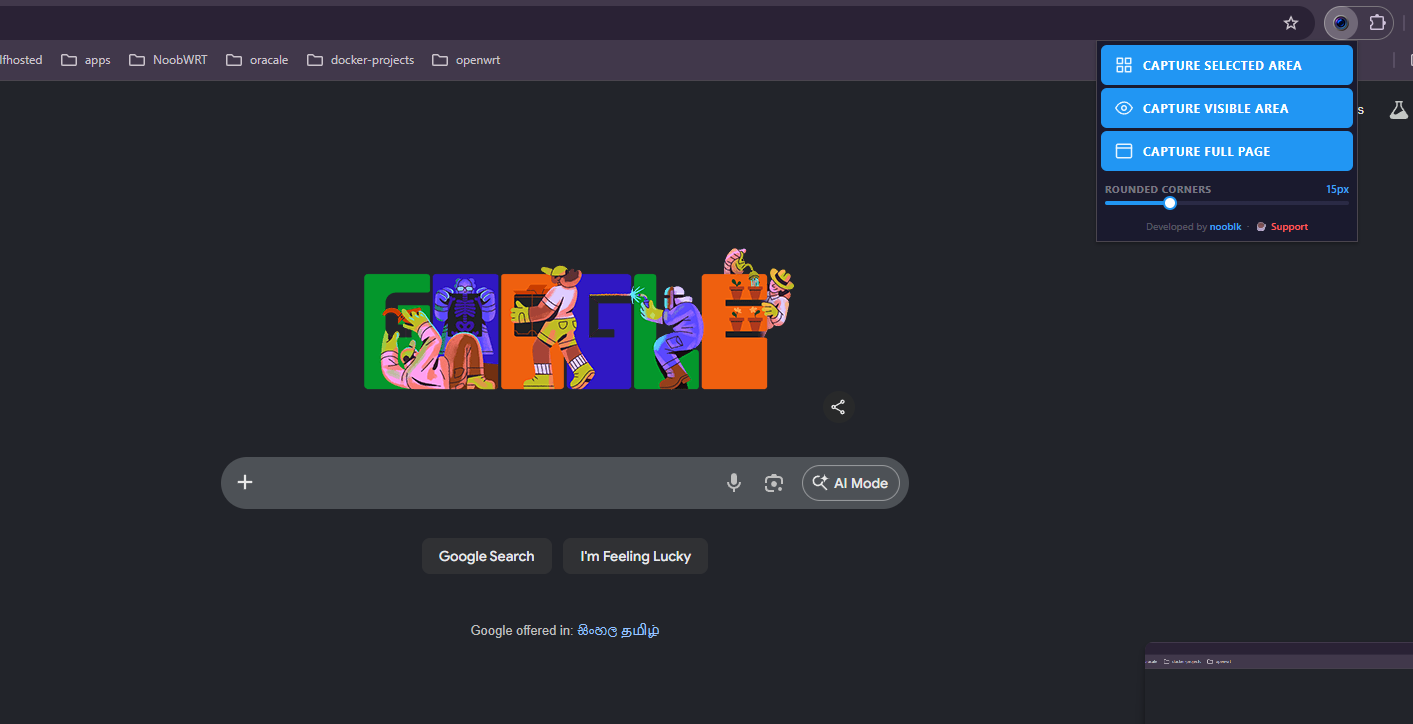
- Capture Selected Area: drag to select any region on screen. The last selection is remembered and shown pre-drawn next time so you can reuse the same size across multiple pages. Drag the box to reposition it, or draw a new one.
- Capture Visible Area: screenshots the current viewport instantly.
- Capture Full Page: stitches the entire scrollable page into one image.
- Rounded Corners: apply a corner radius to any capture.
- Auto save + clipboard: every screenshot is downloaded and copied to clipboard simultaneously.
Installation
- Clone or download this repository.
- Open Chrome and go to
chrome://extensions. - Enable Developer mode (top right toggle).
- Click Load unpacked and select the project folder.
- The QuickShot icon will appear in your toolbar.
Usage
Click the extension icon to open the menu.
| Button | What it does |
|---|---|
| Capture Selected Area | Opens an overlay. Drag to draw a selection. Previous selection is pre-shown; drag the box to move it or drag outside to draw a new one. Press Enter or click the capture button to shoot. Press ESC to cancel. |
| Capture Visible Area | Captures the current viewport immediately. |
| Capture Full Page | Scrolls and stitches the full page into one PNG. |
The Rounded Corners slider applies a corner radius to all capture types and is saved between sessions.
Output
Every capture is:
- Downloaded as a
.pngfile automatically. - Copied to clipboard so you can paste directly into any app.
Project Structure
QuickShot/
├── src/
│   ├── background/
│   │   └── background.js     # Service worker: handles capture, download, clipboard
│   ├── content/
│   │   └── content.js        # Injected script: area selection overlay, full-page stitching
│   ├── popup/
│   │   ├── popup.html        # Extension popup UI
│   │   ├── popup.css         # Popup styles
│   │   └── popup.js          # Popup logic
│   └── icons/
│       ├── icon16.png
│       ├── icon48.png
│       └── icon128.png
└── manifest.json
Requirements
- Chrome 116+ (Manifest V3)
- No external dependencies
License
MIT